Course VPN
The Course VPN (CVPN) capability facilitates direct connectivity between desktop environments.
By default, this feature is active. It ensures seamless communication among any desktops enrolled in a specific course, irrespective of the underlying server or data centre location.
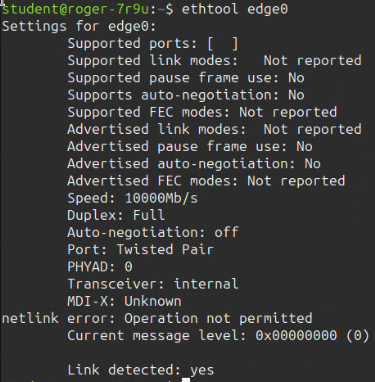
The following terminal captures illustrate the CVPN interface as viewed from the command line.
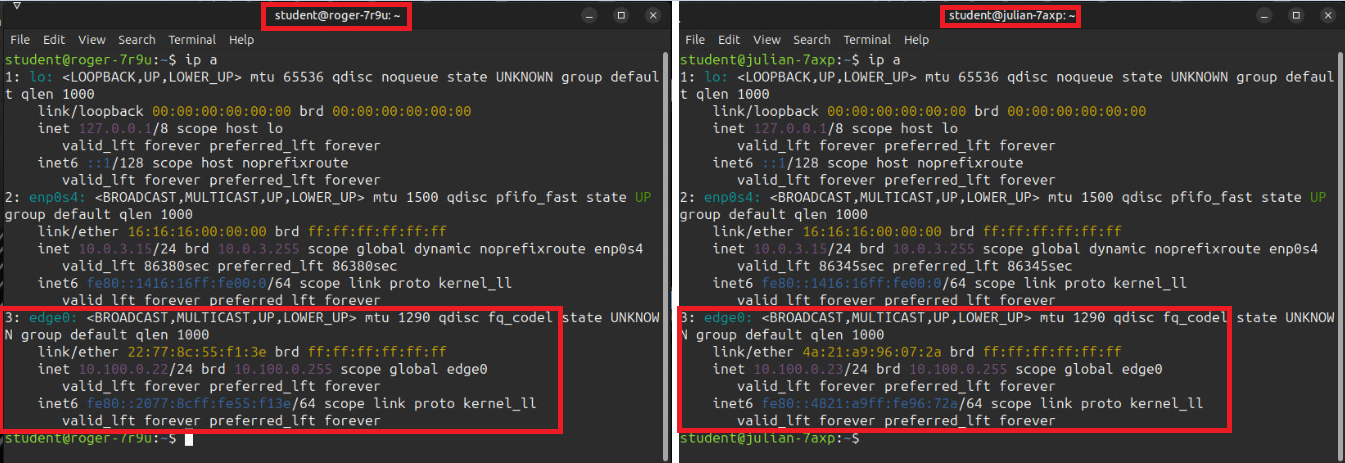
Terminal IPs:
The screenshots below depict the VPN network interface generated when training workstations are provisioned. Specifically, two student workstation terminals are shown displaying the `edge0` network interface, which corresponds to the Course VPN. You will observe that these addresses are distinct and unique, enabling direct communication between the two machines via these identifiers.
Additional Properties: