Benefits
Cloud desktops offer substantial advantages to organisations seeking to deliver live, instructor-led training. These benefits are particularly evident when conducting IT training courses for participants located across diverse geographical sites.
A growing number of companies have also chosen DaDesktop for local, live, instructor-led sessions, largely due to the seamless process of pre-installing and configuring complex software applications. This setup can then be rapidly cloned to dozens or hundreds of additional cloud desktops.
Below are some key reasons why instructors, participants, and organisations select DaDesktop for their training requirements, along with the benefits they have experienced.
Organisations (companies, learning institutions, government)
- Cost-effective
- Utilising DaDesktop is significantly less expensive than leveraging cloud machines from AWS, Azure, or Google Cloud.
- As DaDesktop focuses on short-term usage of cloud desktops rather than long-term cloud machine hosting, it allows for a much simpler and more economical pricing model.
- Scalable
- Companies employ DaDesktop to deliver IT training courses to large groups, cloning a pre-configured cloud desktop to well over 50 students simultaneously, all with complete reliability.
- DaDesktop servers can accommodate thousands of virtual machine images at any given time, enabling the participant count to scale far beyond the capacity of a traditional classroom.
- Fast
- With DaDesktop, cloud desktops are rapidly provisioned at the start of a training session and efficiently shut down immediately after the session concludes.
- DaDesktop cloud desktops can be cloned 100+ times faster than AWS public-cloud machines or typical classroom workstations.
- Convenient
- The user-friendly interface facilitates on-the-fly setup and adjustment of the learning environment, even after the class has commenced.
- Extensible
- DaDesktop offers a convenient channel for requesting new features.
- DaDesktop supports a public API and extensions, enabling custom integration with third-party systems such as LDAP, OpenID-Connect, and LMS.
- Secure
- No user data is retained on DaDesktop beyond the duration of a training session.
- Each cloud desktop is designed as an impermanent, self-contained computing environment.
- Accessible
- There is no need to seek permission from the IT department to allow software to bypass the company firewall.
- The entire Windows or Linux OS desktop environment is accessible within the browser, eliminating the need to install plugins.
- Public, Private and On-premise
- DaDesktop can be accessed via public or private servers, providing users with varying levels of exclusivity.
-
DaDesktop can also be installed on-premise within the customer's own datacentre.
Try DaDesktop today!
Instructors
- Convenient
- Instructors can spin up as many cloud desktops as required, assigning one per participant for use throughout the training session.
- Instructors can pre-install and configure a single cloud desktop with the necessary software and OS environment settings, then simply clone that desktop to as many participants as needed. This ensures no precious time is wasted tinkering with the set-up during class.
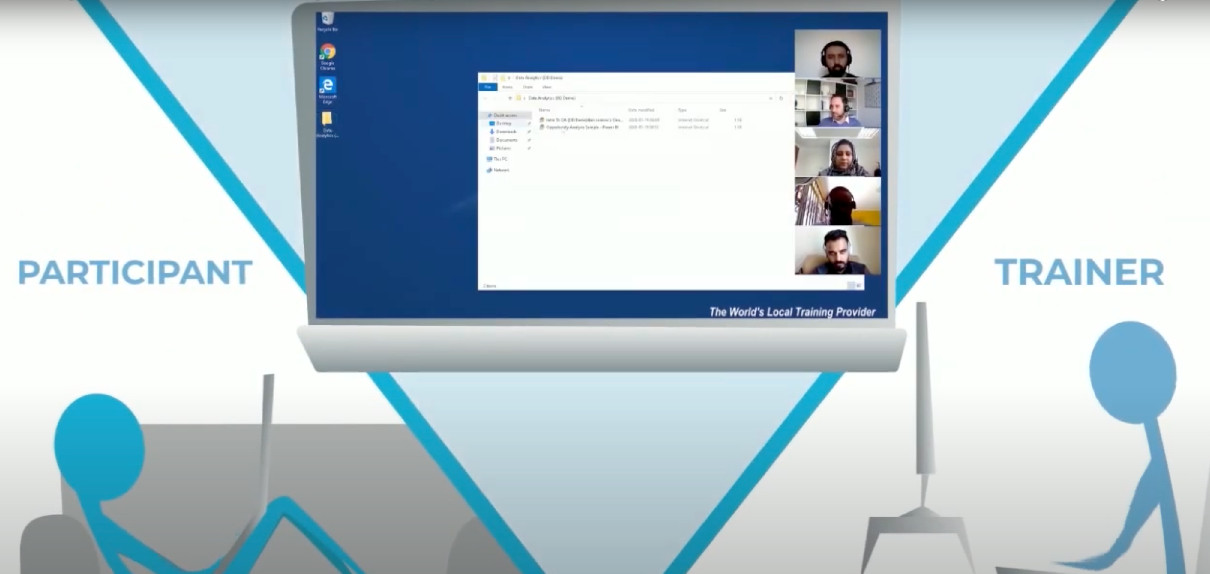
- Instructors can conduct training sessions using only a browser on their laptop, from the comfort of their home or office.
- Fast
- Instructors can spin up multiple cloud desktops for various participants simultaneously, within seconds.
- Interactive
- Instructors can not only view participants' desktops but also take control of them at any time, replicating the experience of a live classroom setting.
- Recordable
- The trainer can record their entire training session to share with participants afterwards.
-
The recorded training can be reviewed by the instructor as feedback to themselves for improving future course deliveries.
Try DaDesktop today!
Participants
- Convenient
- Participants can access DaDesktop from their laptop or PC browser using nothing more than a URL provided by the instructor.
- Participants do not need to install any software. They simply log into DaDesktop and begin using the Windows or Linux OS desktop environment from within their browser.
- Upon entering a training session, participants have instant access to all the tools, materials, and exercises that the instructor prepared in advance.
- When participants switch their browser to "full-screen" mode, the cloud Windows or Linux environment takes over the entire screen. This ensures it does not feel like an OS environment nested within a browser, but instead feels like a full-blown OS running on the user's laptop.
- Participants can carry out training sessions from the comfort of their home or office.