Create From Standalone Desktop
-
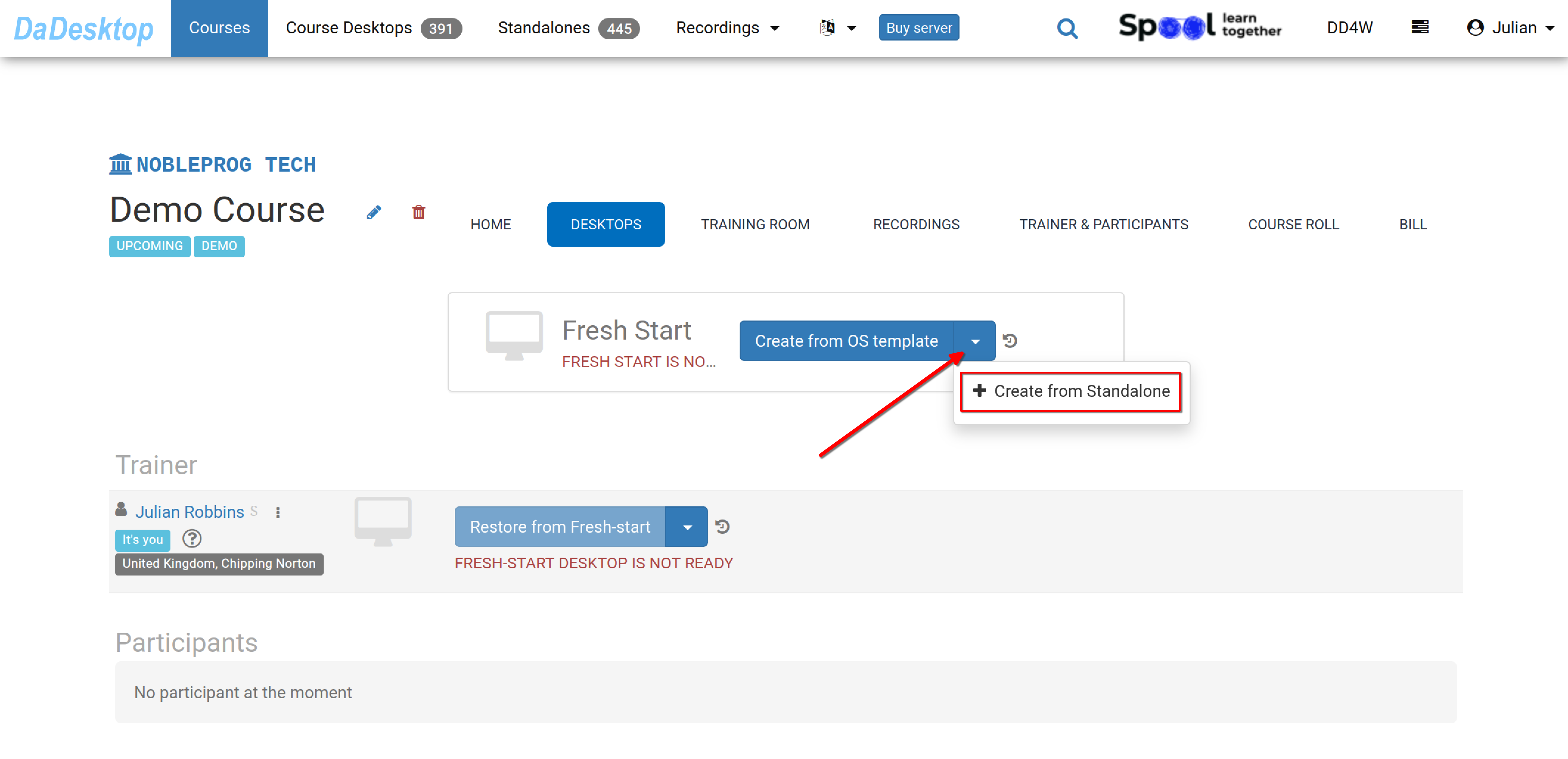
Navigate to the course you have created—shown below is a Demo course. Then click on the Desktops tab, click the down arrow, and select "Create from Standalone" to create your Fresh Start.
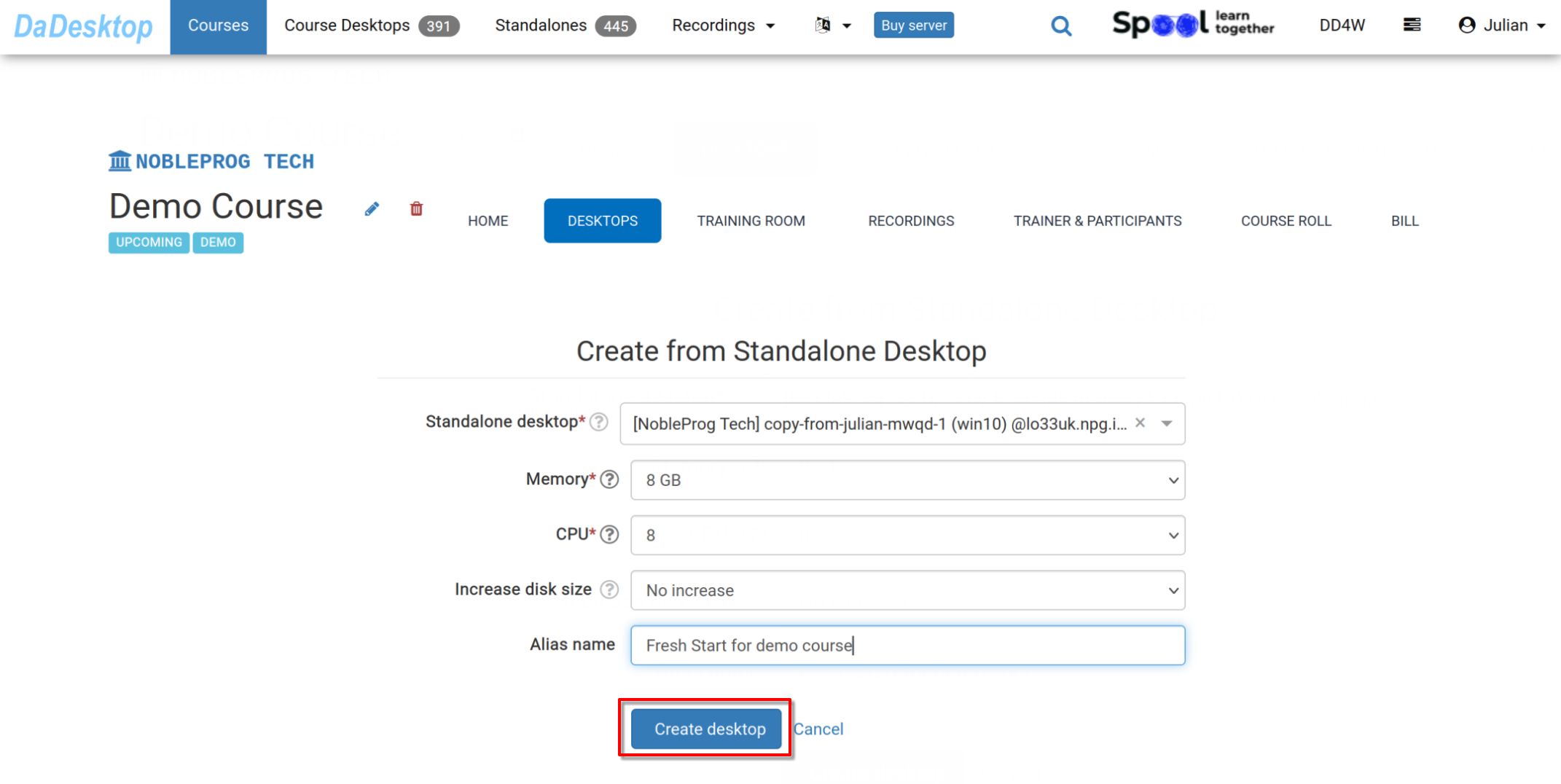
- Choose the "Standalone desktop" you have previously worked on for the course environment (software, course materials, quizzes, etc.).
-
You can adjust the memory, CPU, and increase the disk size during this process if needed. Click "Create desktop".
-
The Fresh Start is now ready. Both the Trainer and Participants can clone desktops from it.
The Fresh Start is a desktop within the course that enables cloning to all participants and the trainer at once. Everyone in the course can restore from the Fresh Start if necessary.
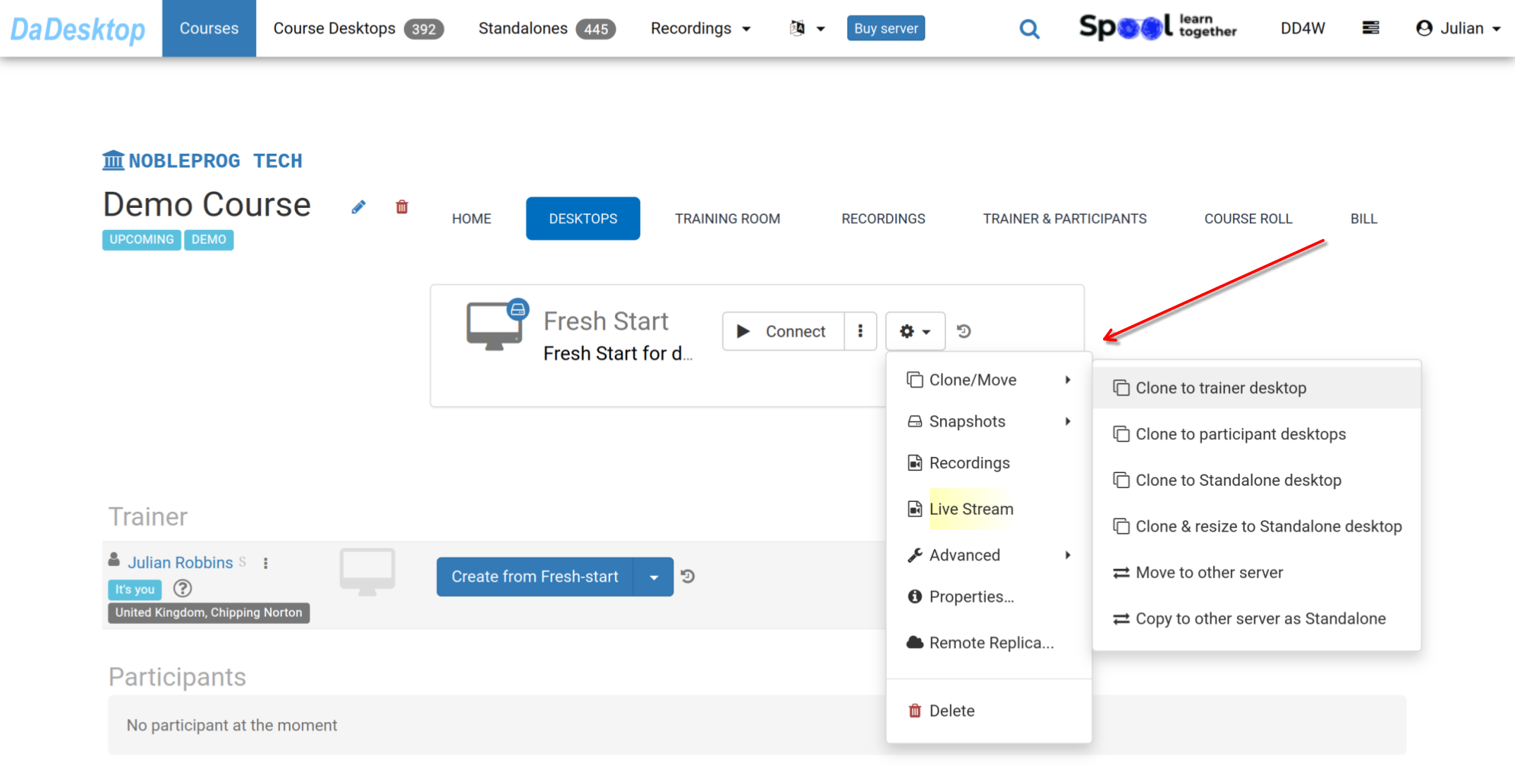
From the 'Cog' menu, you'll find many other options, such as cloning your Fresh Start to the Trainer, a Participant, or a Standalone machine, as well as cloning and resizing the machine to a Standalone. Other options include moving the Fresh Start to another server, creating Snapshots, reviewing Recordings, or setting up a Remote Replica.Please refer to the documentation on these features for further details.