Create From OS Template
To create from an OS template:
- Go into the course and open the Desktops menu
- Click "Create From OS Template"
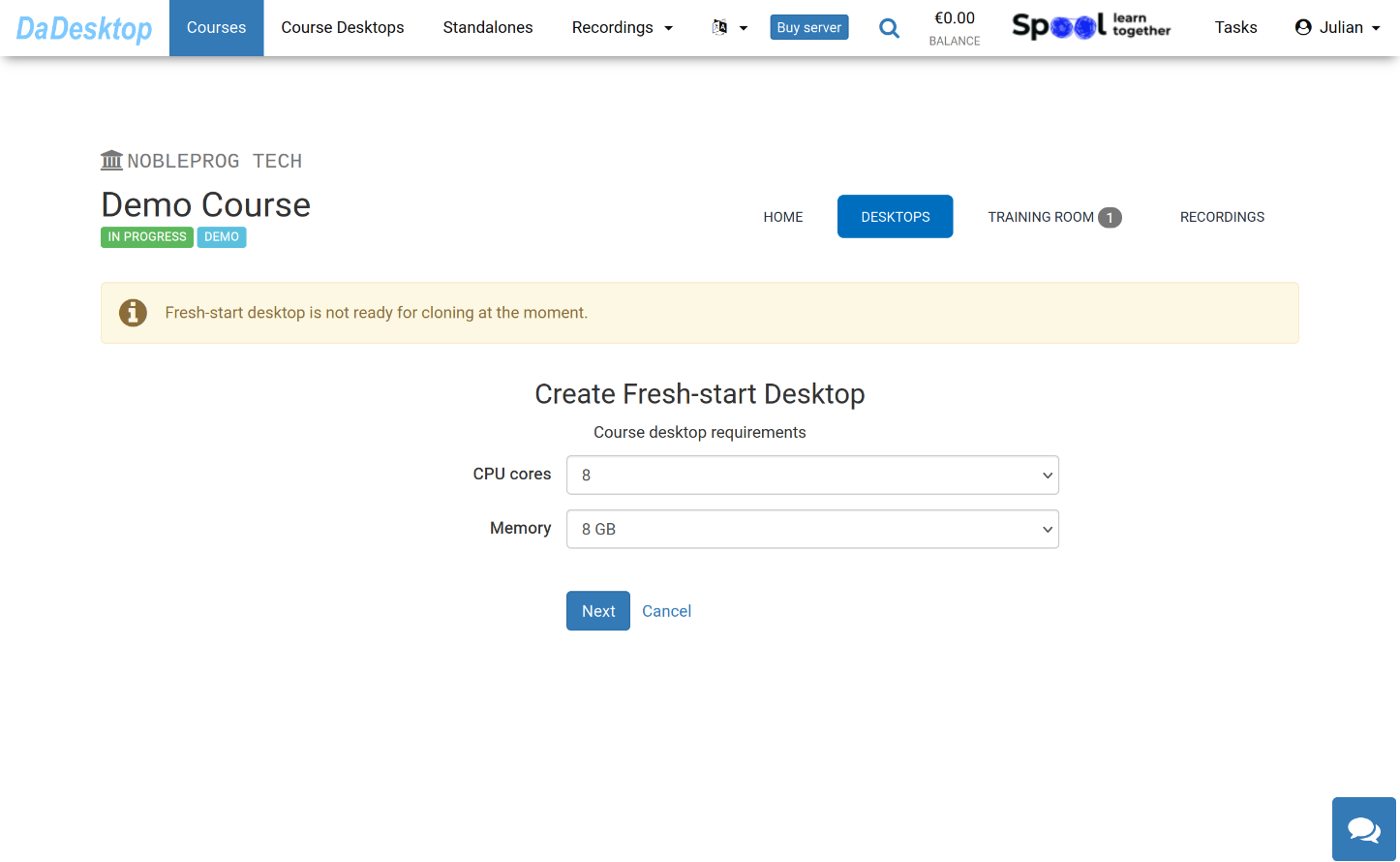
Here you'll see the various options when creating from an OS template
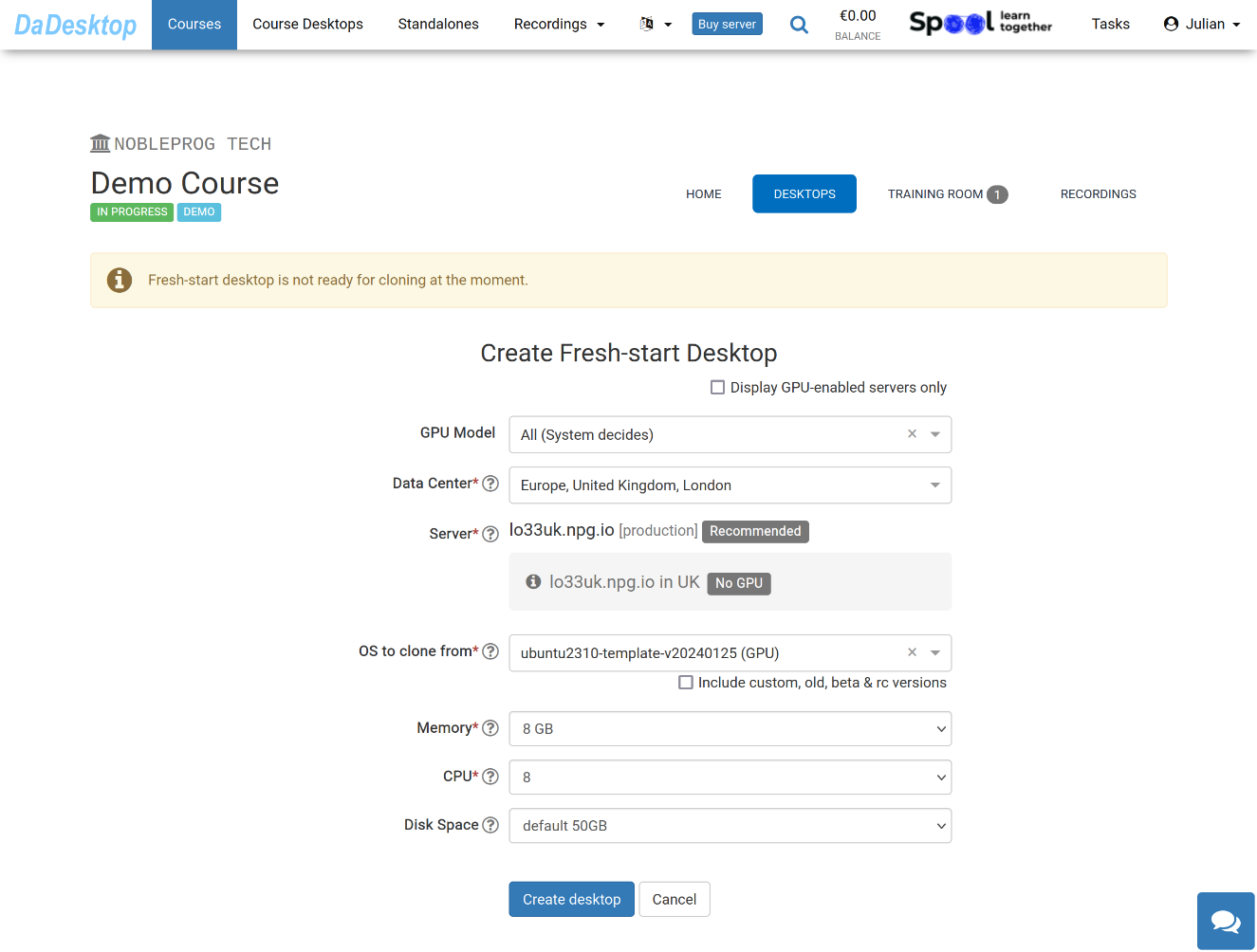
Meaning of each field is explained below:
-
GPU Model
Choose GPU and type, if required. Ticking the 'Display GPU enabled servers' will only show servers with GPUs available -
Datacentre / Server
Pick the data centre region and server nearest to your location in the UK -
OS to clone from
Operating System (OS) templates include Windows, Linux (Ubuntu, Debian, Almalinux amongst others) -
Include custom, old, beta & rc Versions
DaDesktop updates templates regularly, though if you're experiencing any problems with the latest template, you can try an older version here -
CPU
Select the number of CPU cores needed. NB The default is 8 cores, which is usually suitable for most general Linux and Windows requirements -
Memory
Choose the memory limit in GB for the desktop. Please bear in mind that you are constrained by the server resources. Each server may have different memory limits. If you need to increase these limits, please contact us on Support Chat -
Disk Space
Select the amount of disk space to allocate. The default is 50 GB.