Managing Recordings
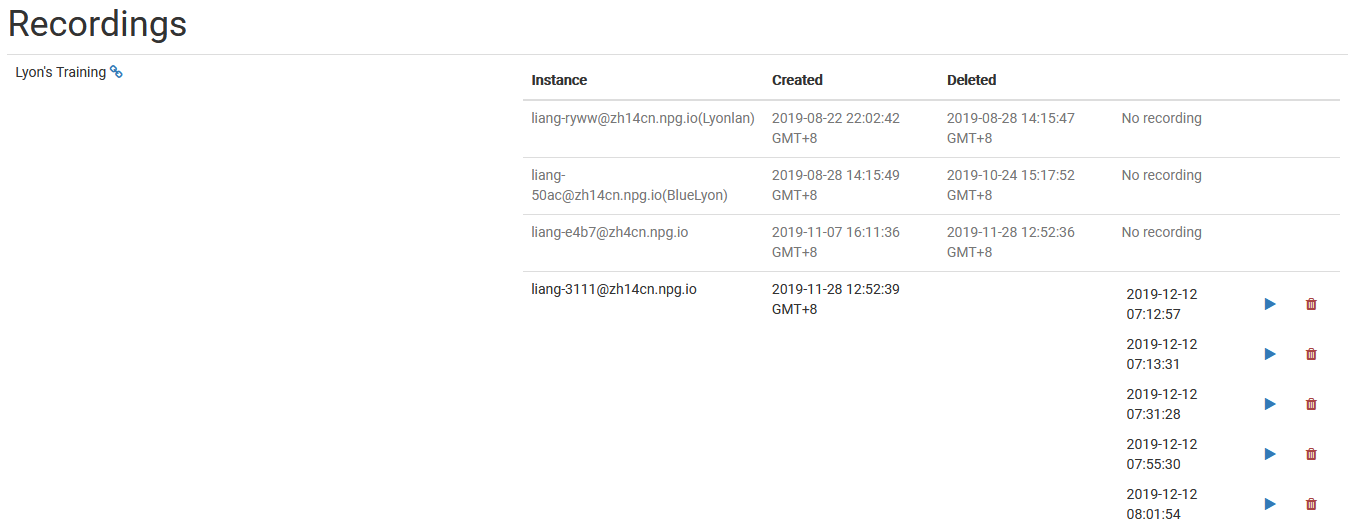
The Managing Recordings page gives Super Administrators a central hub to review and manage recordings produced within DaDesktop. It helps keep recording data organised and allows for the removal of recordings that are no longer necessary.
Recording Management
On the recordings management page, administrators can browse the full list of recordings and examine their details. This simplifies the task of monitoring recordings across the platform in the UK and carrying out essential maintenance.
Deleting Recordings
When a recording is no longer needed, it can be removed through the management interface. Clearing out unused recordings helps maintain an orderly system and reduces surplus storage consumption. Only recordings that are genuinely surplus to requirements should be deleted, as this action is meant for permanent housekeeping.