Managing All Desktop Instances
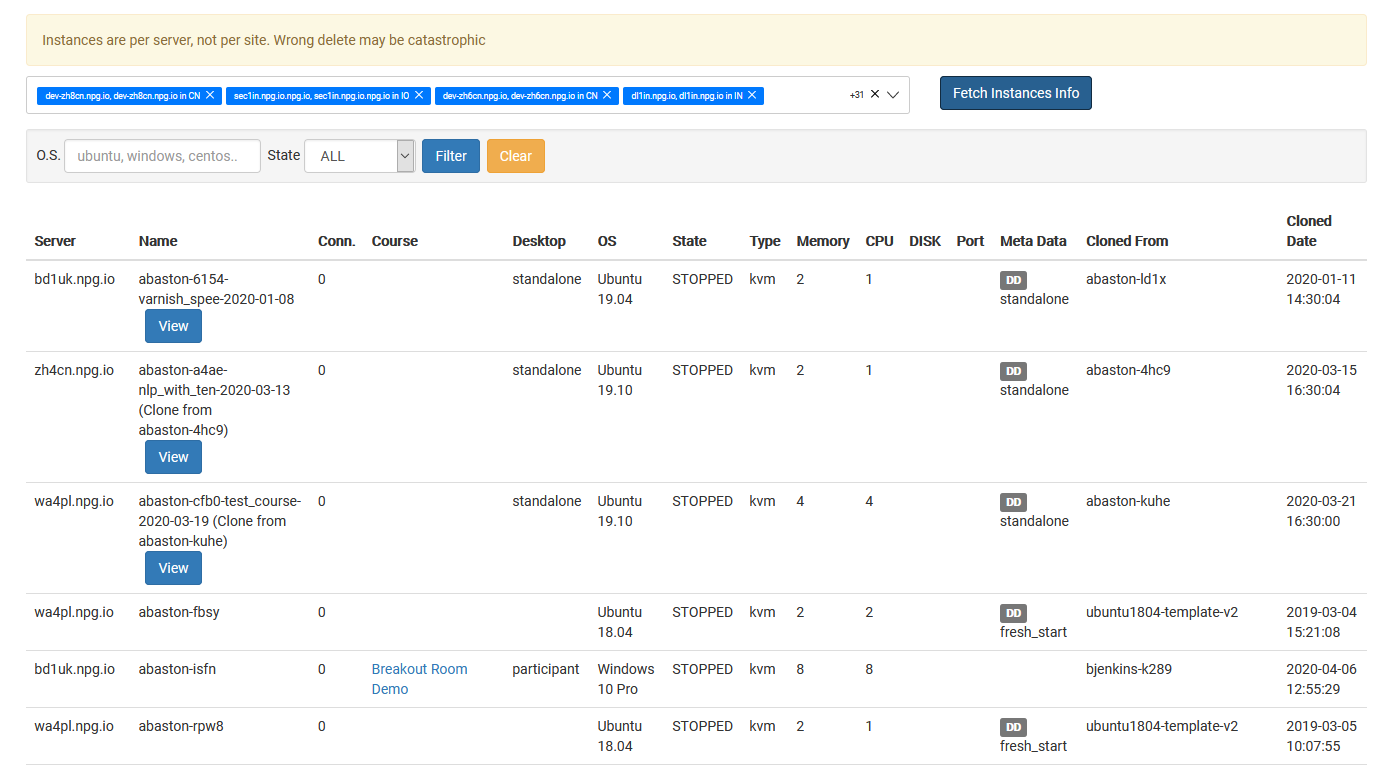
The Managing All Desktop Instances page gives Super Administrators one central place to view and manage every desktop instance across the platform. It offers a complete overview of desktops, irrespective of the organisation, course, or server they belong to, making it simpler to monitor system usage and carry out administrative tasks.
What You Can Do
- View all desktop instances from one page.
- Search and filter desktops to quickly locate specific machines.
- Check the current status and details of any desktop instance.
- Carry out management actions on selected desktop instances as needed.
- Monitor desktops across organisations, servers, and data centres from a central location.
Who Can Access This Feature
Managing All Desktop Instances is available as a Super Administrator feature. It’s intended for administrators who need to monitor and manage desktop instances across the entire DaDesktop platform, rather than within a single organisation or course.