Over-committing of Co-efficients
This feature is only available in: DaDesktop Private Server (DDPS), DaDesktop On-Premise (DDOP) only.
With the increase in complexity and processing power required for courses, especially with nested virtualisation or higher performance requirements for a higher number of trainees' desktops; you might occasionally come across an error message such as this :-

The warning relates specifically to CPU, memory or disk space. Your first step should be to move your machine(s) to a less heavily loaded server or data centre, or to scale back the resource requirements if at all possible.
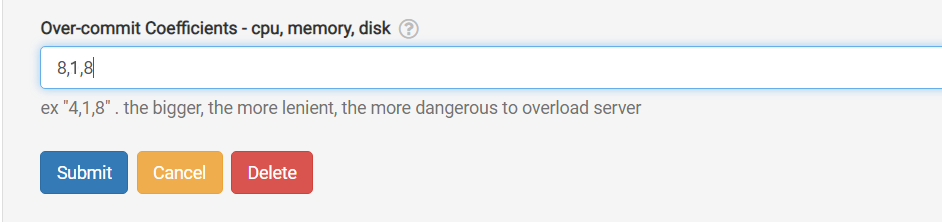
If neither option is available, a quick and simple solution when the running units only marginally exceed the normally permitted maximum is to temporarily employ 'over-committing' of one or more of the CPU, memory or disk coefficients. This can be done via the GUI as shown below.
Navigate to /da/admin/servers/all, click the Edit button for your server, then scroll down to this section.
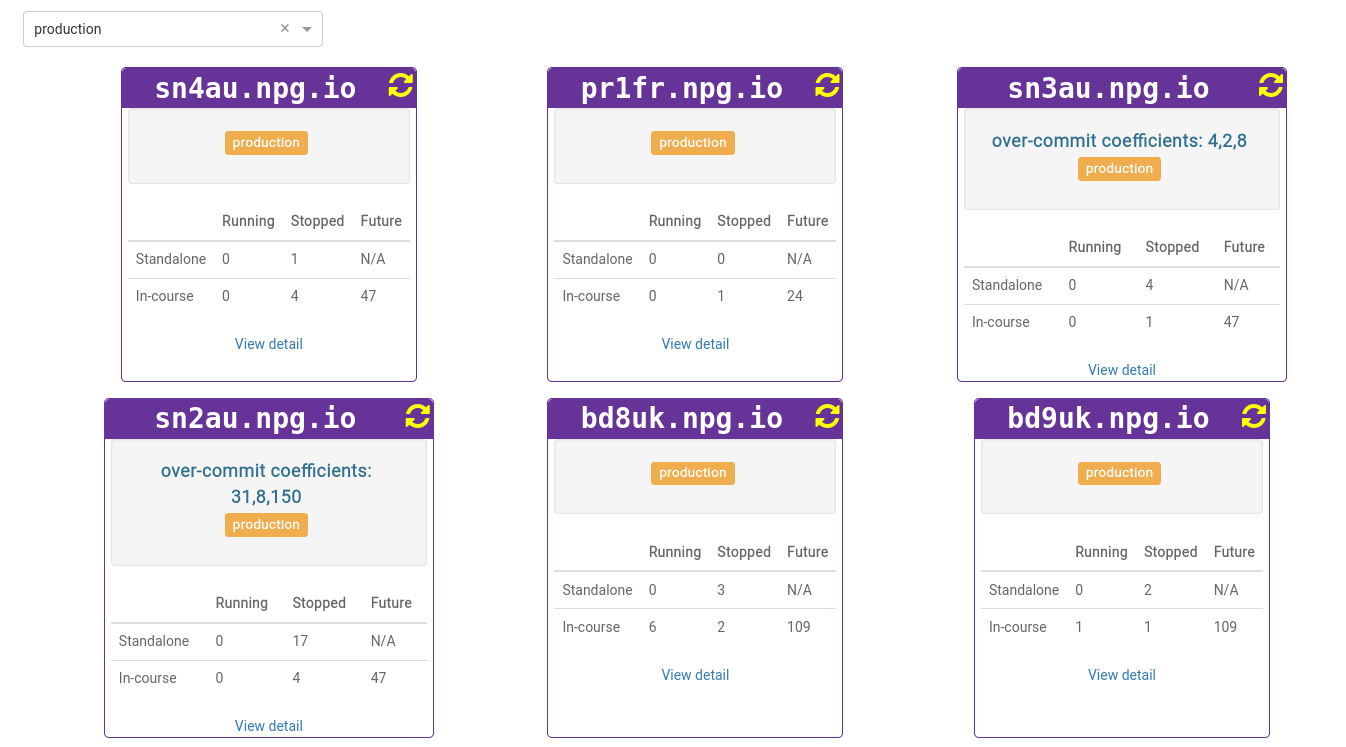
The server list also highlights which servers are currently using over-committed coefficients. This is handy for when you need to clear them after a course has finished and revert the coefficients to their default values.
Any adjustments should be considered a temporary workaround and not a permanent fix for insufficient resources. Once the course has finished, changes made to allow it to run should be reverted.
DaDesktop On-premise Requirements
The over-committing function relies on tpapi which is part of the DaDesktop codebase. tpapi is currently only compatible with Python 3.12, so the corresponding operating system must run at least Ubuntu 23.10.